configNexus|游戏数据AI配置引擎
A downloadable tool for Windows
ConfigNexus — A Modern Desktop Platform for Game Configuration
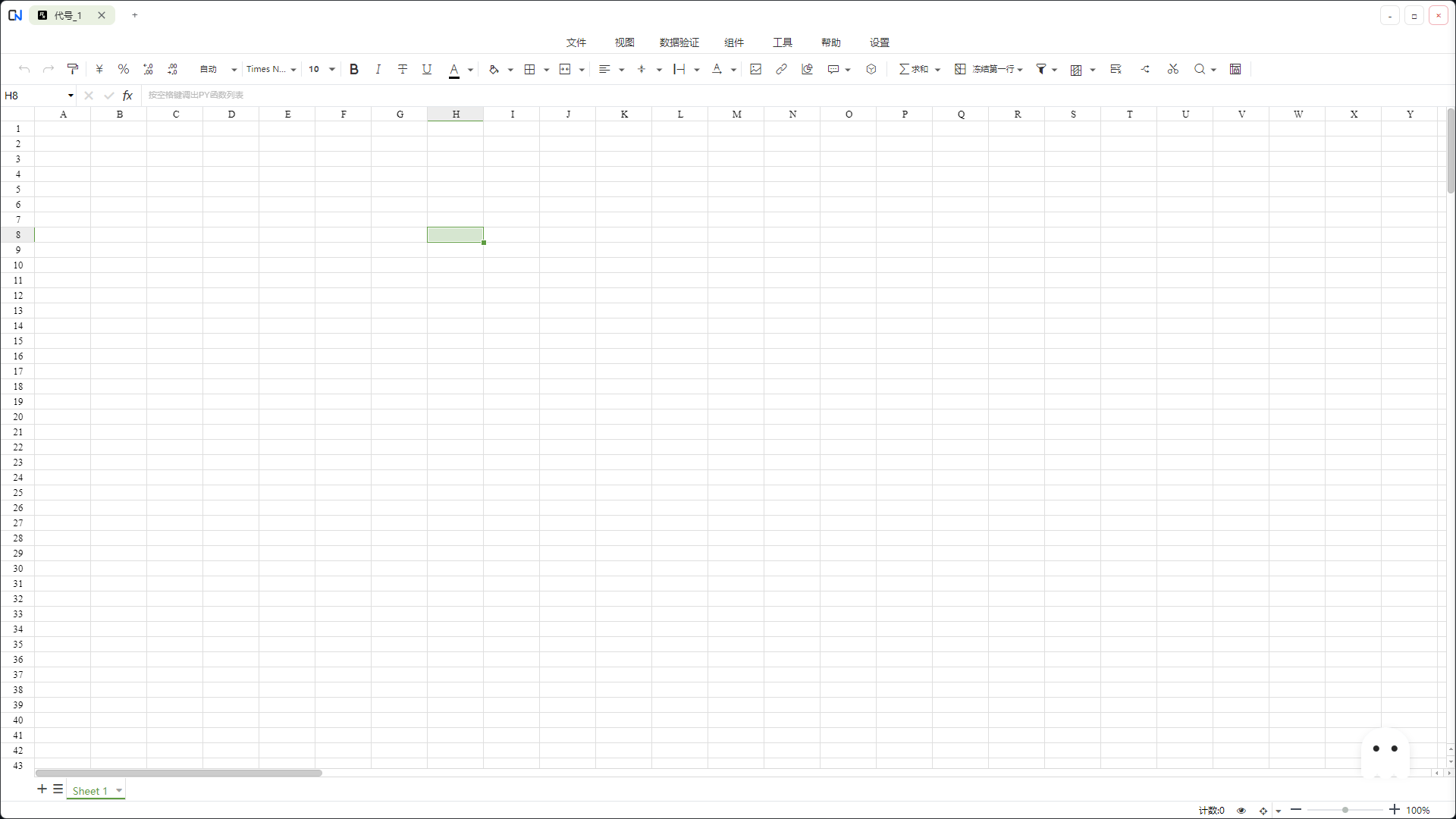
ConfigNexus is a desktop-grade workbench purpose-built for game development and data configuration management. It consolidates the Excel sheets, localization text, and various config files scattered across your designers' workflows into one unified project — and exports them with a single click into the formats your engine actually consumes. Built on a hybrid architecture that combines the flexibility of web technology with the performance of native applications, it serves as a one-stop configuration hub shared by designers, programmers, and artists.
🌟 Core Features
1. Professional Spreadsheet Editing
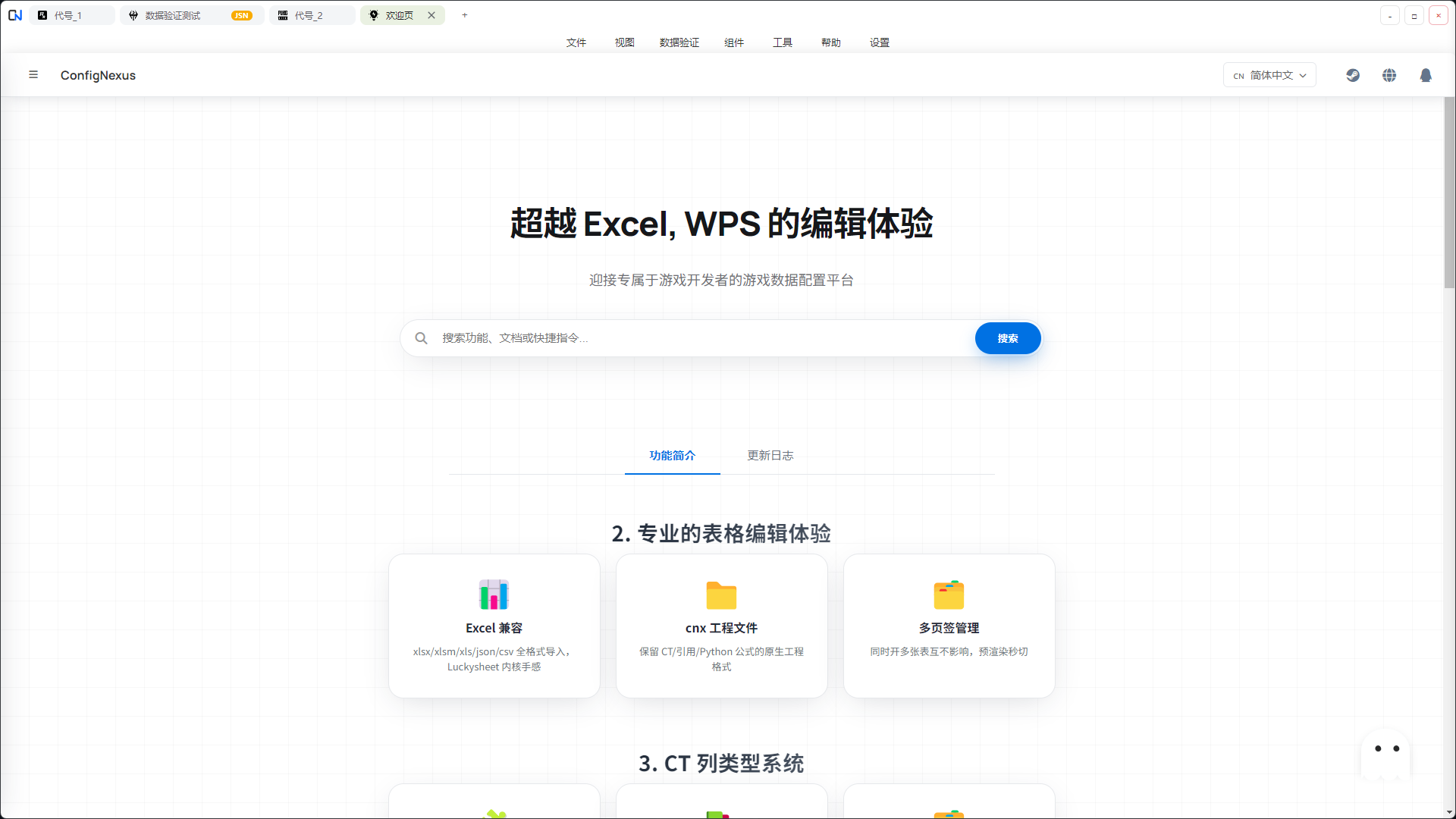
- Native Excel feel: Powered by the Luckysheet core, the experience faithfully reproduces Excel's operating habits — formula calculations, filtering, sorting, frozen rows/columns, conditional formatting, all available out of the box with zero learning curve.
- Efficient multi-tab workflow: A WPS-style multi-tab architecture lets you keep multiple spreadsheet instances open at once. Each tab runs independently without interference, dramatically improving parallel multitasking productivity.
- Broad format compatibility: Full support for .xlsx, .xlsm, .xls Excel files, plus import/editing for .json, .csv, and other common data formats.
- Native .cnx project files: Preserves all styling, merged cells, and cross-sheet references — close and reopen and everything stays exactly where you left it.
2. Powerful CT (Configuration Type) System
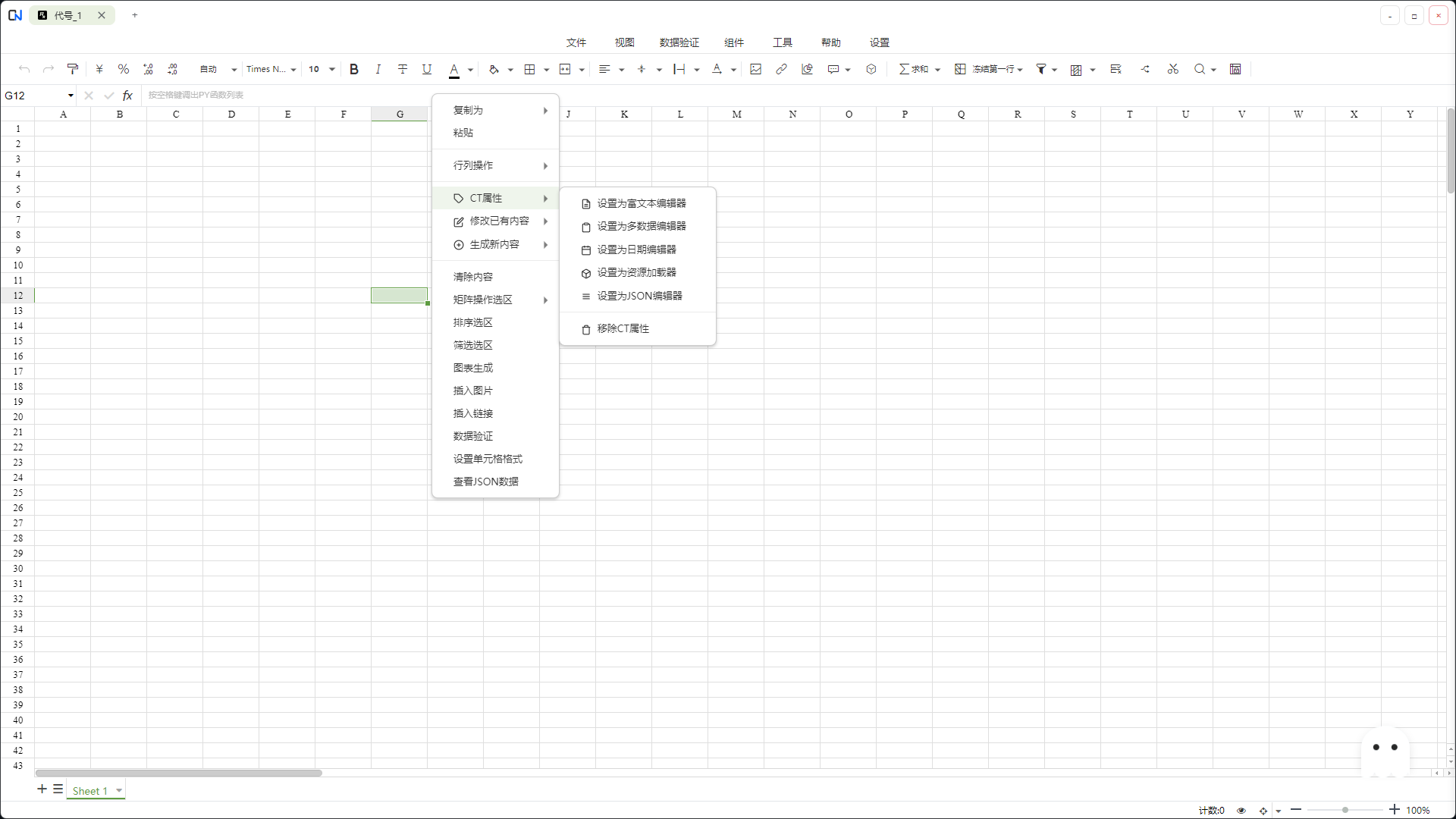
ConfigNexus introduces a CT system designed specifically for game configuration, providing an editing experience that goes far beyond ordinary spreadsheets:
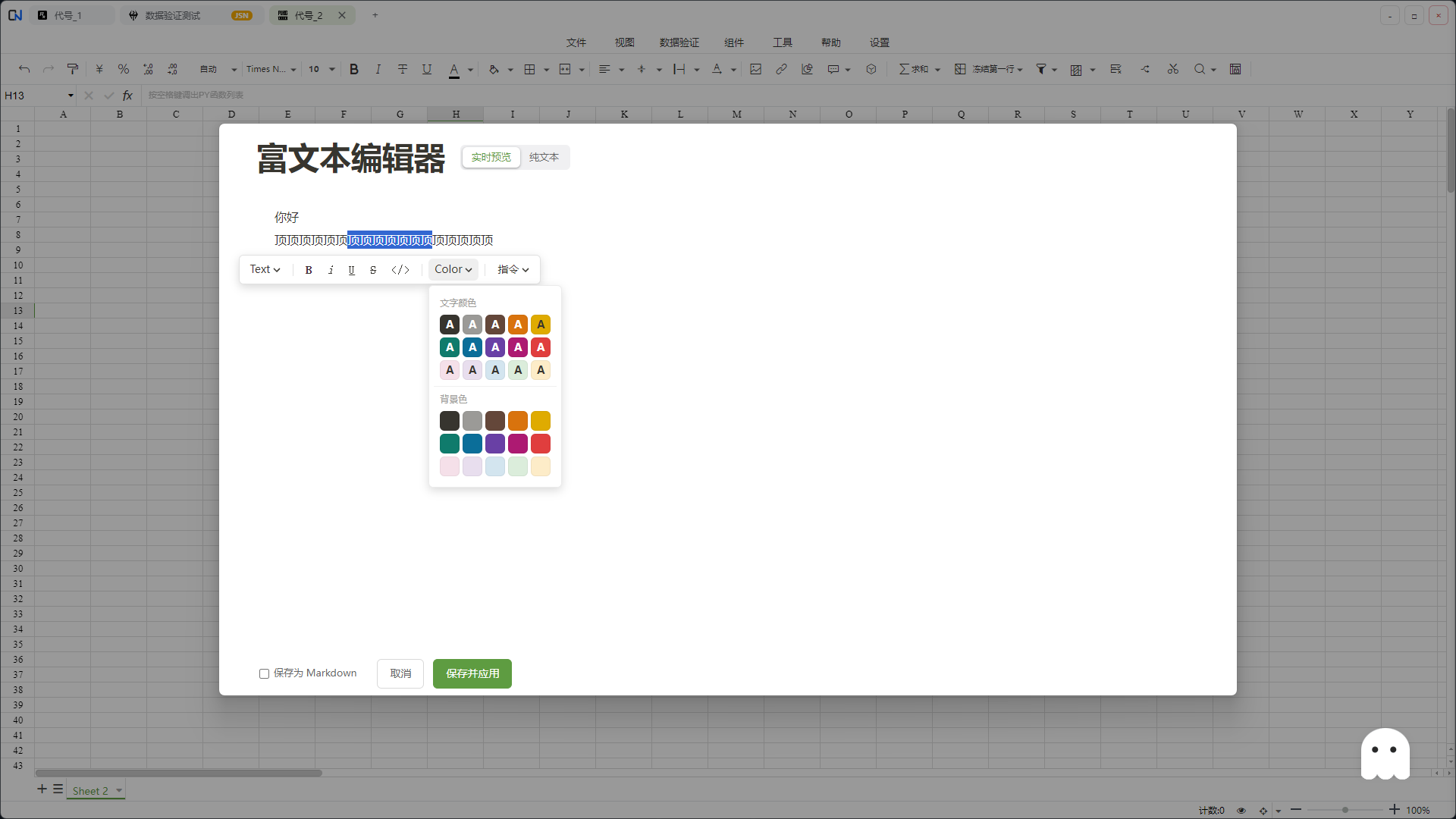
- 📚 Rich Text Editing: A Notion-style WYSIWYG editor. Supports switching between Markdown and HTML formats and complex text styles (bold, colors, links, etc.), freeing writers from manually typing markup tags.
- 🧩 JSON Editor (New): A built-in JSON editor powered by Monaco + tree view, with the code mode on the left and the structured tree view on the right kept in two-way sync. Any node at any depth supports visual modal editing — no more hand-writing huge JSON blobs into a single cell.
- 🗂️ Multi-Data Structure Editor: A visual editor for handling complex arrays of objects like [{},{}]. Define a schema once, then batch-edit fluently — finally putting an end to the pain of finding and modifying specific fields buried in long-text cells.
- 📅 Smart Date Editor: A built-in date picker — double-click to open — with standardized datetime input and timezone handling.
- 🖼️ Resource Loader: A built-in resource manager. Double-click a cell to open the project resource selector (images, audio, etc.) and auto-fill the path, with instant icon thumbnail previews inside the cell.
- 🔗 Cross-Sheet References: An item ID entered in sheet A automatically shows the item name when opened in sheet B — reference relationships at a glance.
3. Rigorous Data Validation System (New DSL)
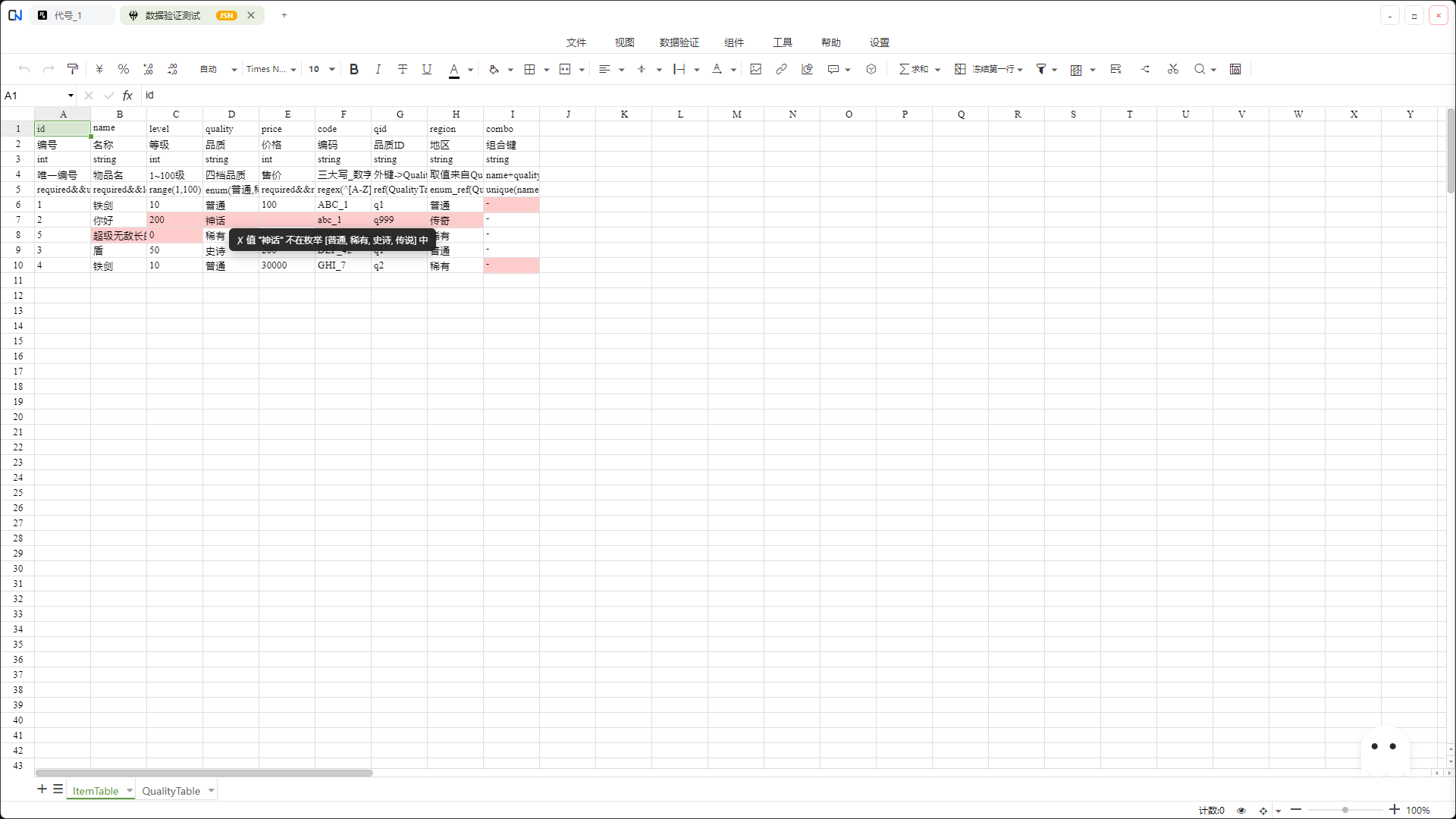
ConfigNexus provides a declarative DSL-based validation rule system. Write a single rule string in the header row to enable validation — errors are highlighted in real time, and clicking an entry in the validation log jumps you straight to the offending cell.
✅ Built-in Rules:
RuleDescriptionrequiredRequired field checkuniqueColumn-wide uniqueness check (prevents primary-key collisions)range(min, max)Numeric range constraint, e.g. range(1, 100)enum(a, b, c)Enumerated value checklen(min, max)String length rangeregex(pattern)Regex pattern checkref(Table@Field)Cross-sheet referential integrity (the reference must exist)enum_ref(Table@Field)Dynamically generate an enum set from another sheet's column
- 🔗 Rule Composition: Chain freely with &&, e.g. required && range(0, 100). Bracket-aware — embedded regex won't be split by mistake.
4. Versatile Data Export
Export configuration tables with one click into the formats game development actually needs:
- Text formats: JSON · YAML · CSV · Protobuf (Text)
- Code files: Auto-generated C# data classes — zero boilerplate on the engine side
- Binary formats: Bytes (custom compact format) · Binary (MessagePack) · Protobuf (Binary)
Unity, Unreal, Godot, or your own in-house engine — plug into whatever you need.
5. Deep Python Integration
A built-in Python engine unleashes powerful data processing capabilities:
- Script execution: Hand-write Python scripts to batch-process spreadsheet data, generate numeric values, and transform formats.
- Cell-level functions: Call your own custom Python functions directly from cell formulas — complex numeric rules become one-liners.
- Persistent script library: Scripts auto-save into your library — write once, reuse across every project, forever.
- Smart caching: Batch execution stays snappy even on huge tables.
6. More Utility Tools
- Localization management: Built-in synchronized text management across Chinese / English / Japanese / Korean, with automatic deduplication of repeated strings.
- Localization character extraction: Auto-extract and deduplicate characters from selected languages, generating a .txt character whitelist.
- Font subsetting: A built-in font tool that trims font files based on the character table, drastically reducing game package size.
- Smart batch modification: Visual find-and-replace for complex structures like arrays ([1,2]) and arrays of objects ([{...},{...}]).
- Quick math operations: Fast numeric operations on selected ranges.
- Auto-save: Power loss, crashes, accidental close — your work doesn't go missing.
🎯 Who It's For
- Game Designers — Finally, a tool that understands "game configuration" better than Excel does.
- Game Programmers — Unified, validatable, diff-able configuration data formats.
- Indie Developers — Solo devs can maintain clean numeric tables too.
- Configuration Platform Teams — Consolidate scattered Excel files into a unified asset.
✅ Feature Highlights at a Glance
- ✓ Excel two-way compatibility, seamless migration
- ✓ 8 mainstream data formats, one-click export
- ✓ Full CT column type suite: Rich text / JSON / Date / Resource / Multi-data / Cross-reference
- ✓ Declarative DSL validation rules — 8 built-ins, combine freely
- ✓ Python script extensions for complex numeric processing
- ✓ Chinese / English / Japanese / Korean UI
Download
Click download now to get access to the following files: